
Gaming & Streaming
Whether you play to relax or broadcast to the world, your setup defines your experience. I analyze the entire ecosystem—from high-refresh-rate hardware to professional streaming audio—to help you build a battle station that performs as good as it looks.
Refine by Topic

There are currently no reviews in this specific category.
The Ultimate Hub for Gamers and Content Creators
Gaming has evolved from a solitary hobby into a global phenomenon, and with the rise of platforms like Twitch and YouTube, the line between playing a game and creating content has blurred. But this evolution comes with a cost: the market is now flooded with “gaming” products. Some are engineering marvels; others are cheap plastic with RGB lights slapped on them at a markup. My job is to help you tell the difference.
I created this section of Know What You Are Buying to be the definitive resource for enthusiasts who care about performance, aesthetics, and value. Whether you are a competitive esports player looking for the lowest latency, a single-player adventurer seeking immersion, or a budding streamer building your first studio, I provide the honest, data-backed clarity you need.
Navigating the Gaming Ecosystem
The gaming industry is vast. To help you find exactly what you need, I break down my analysis into three critical pillars:
1. Gaming Hardware & Performance
This is the engine of your experience. High frame rates (FPS) and low latency aren’t just buzzwords; they are the difference between winning and losing. I analyze:
- Visual Fidelity: From high-refresh-rate monitors to 4K OLED panels.
- Input Precision: Mechanical keyboards with rapid-trigger switches and lightweight mice with flawless sensors.
- System Power: The components that drive the pixels, ensuring your rig doesn’t bottleneck your skills.
2. Games & Ecosystem Accessories
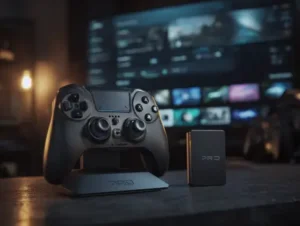
Not everyone plays on PC. The console market (PlayStation, Xbox, Nintendo) has its own ecosystem of proprietary gear. I test controllers for drift issues, headsets for 3D audio accuracy, and VR systems for immersion. I also dive into the games themselves, analyzing them not just on “fun” but on technical performance and optimization.
3. Streaming & Broadcast Gear
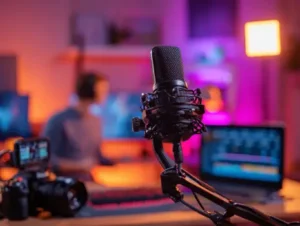
If you want to share your gameplay, you need more than just a PC. You need to be a producer. This involves a completely different set of skills and hardware. I review XLR microphones, audio interfaces, capture cards, and lighting setups to help you look and sound like a pro, even if you are broadcasting from a bedroom.
The “Gaming Tax” Warning
One of the core philosophies of my reviews is identifying the “Gaming Tax.” This is a marketing phenomenon where brands take a standard product, paint it black and red, add LEDs, and charge 30% more. In my analysis, I often recommend “non-gaming” gear—like studio headphones or office chairs—that outperform their “gaming” counterparts for half the price. My loyalty is to your wallet and your experience, not to the brands.
Why Trust My Analysis?
I don’t rely on spec sheets sent by PR departments. I use this gear. I experience the frustration of software drivers that crash, the annoyance of headsets that clamp too tight, and the joy of a mechanical switch that feels just right. My goal is to save you from the buyer’s remorse that is all too common in this expensive hobby.
Frequently Asked Questions
Is PC gaming really better than console gaming?
Objectively, PC gaming offers superior graphical fidelity, higher frame rates, and cheaper game libraries. However, consoles (PS5/Xbox) provide “plug-and-play” simplicity, exclusive titles, and a much lower hardware entry cost. The choice depends on your budget and preference for desk vs. couch gaming.
What is the most important gear for starting streaming?
High-quality Audio. Viewers will forgive a grainy webcam, but they will leave instantly if your audio clips or echoes. Invest in a dedicated USB or XLR dynamic microphone before upgrading your lighting or camera.
Do I really need a 144Hz monitor?
For competitive shooters, racing, or action games, yes, absolutely. Moving from 60Hz to 144Hz provides smoother motion clarity and reduces input lag. For slow-paced RPGs or strategy games, a 60Hz 4K panel might offer better visual immersion.
Are gaming chairs worth the money?
Generally, no. Most “racing-style” bucket seats force poor posture and have thin padding. I usually recommend high-quality ergonomic office chairs (mesh or fabric) as they provide better lumbar support and breathability for long gaming sessions.
What does ‘latency’ or ‘ping’ mean in gaming?
Latency is the time (in milliseconds) between your physical action and the result on screen. It is the sum of your internet speed (ping), your PC’s processing time, and your peripheral/monitor delay. Minimizing system latency is critical for competitive advantage.