Reader Supported: We may earn a commission when you buy through links on our site.
Logo of the Website Know What You Are Buying
  • Hardware
    • Laptops & Desktops
    • .st0{fill-rule:evenodd;clip-rule:evenodd;} Monitors & Displays
    • PC Components
    • Peripherals & Connectivity
    • Storage & Backup
    Hover over a category to see top picks
  • Gaming
    • .st0{fill-rule:evenodd;clip-rule:evenodd;}Console Gaming
    • .cls-1{fill-rule:evenodd;}gaming-pcPC Gaming
    • Handheld & Mobile
    • Streaming & Audio Gear
    • Vr & Ar Headsets
    Hover over a category to see top picks
  • Personal Tech
    • .st0{fill-rule:evenodd;clip-rule:evenodd;}Smartphones & Accessories
    • .cls-1{fill-rule:evenodd;}earbudsHeadphones & Audio
    • .cls-1{fill-rule:evenodd;}camera-droneCameras & Drones
    • Smartwatches & Wearables
    • .st0{fill:#000000;} Tablets & E Readers
    Hover over a category to see top picks
  • Smart Home
    • Speakers & Displays
    • Security & Surveillance
    • Smart Appliances
    • Lighting & Ambience
    • Networking & Wifi
    Hover over a category to see top picks
  • Software
    • Antivirus & Privacy
    • VPN & Online Security
    • Web Hosting & Cloud
    • AI Tools & Subscriptions
    • .st0{fill:#000000;} Creative & Productivity
    Hover over a category to see top picks
  • Workspace
    • Standing Desks
    • Ergonomic Seating
    • Monitor Arms & Stands
    • Office Lighting
    • Hybrid Work Gear
    Hover over a category to see top picks
  • Power
    • Portable Power Stations
    • Solar Panels & Kits
    • Smart Energy Monitors
    • Electric Mobility
    • Charging & Power Banks
    Hover over a category to see top picks
  1. Home
  2. Workspace & Ergonomics

Workspace & Ergonomics

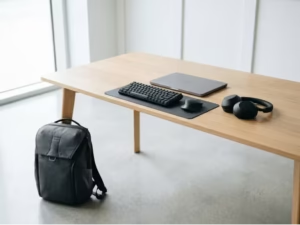
A productive workspace is more than an aesthetic Instagram setup; it is the foundation of your physical health and daily focus. We bypass the “ergonomic” marketing buzzwords to rigorously test furniture and gear for structural integrity, long-term comfort, and biomechanical support. Build an environment that sustains your workflow without compromising your spine or your wallet.

Refine by Topic

Ergonomic Seating

Ergonomic Seating

Don't let aggressive "gaming chair" aesthetics or cheap memory foam trick you...

Hybrid Work Gear

Hybrid Work Gear

Hybrid work demands a seamless transition between the corporate office, your home...

Monitor Arms & Stands

Monitor Arms & Stands

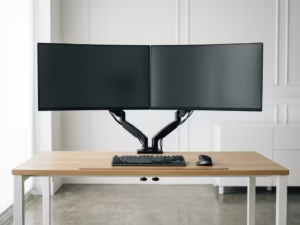
A sagging monitor arm is a guaranteed fast track to neck strain...

Office Lighting

Office Lighting

Poor desk lighting silently destroys your focus through eye strain, screen glare,...

Standing Desks

Standing Desks

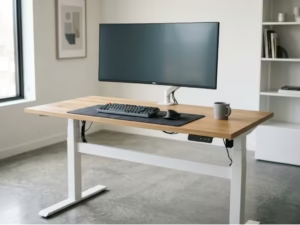
The standing desk market is flooded with wobbly frames, underpowered motors, and...

We are gathering data

Our experts are currently working on content for this section. Check out our latest global analysis below.

Latest Global Coverage

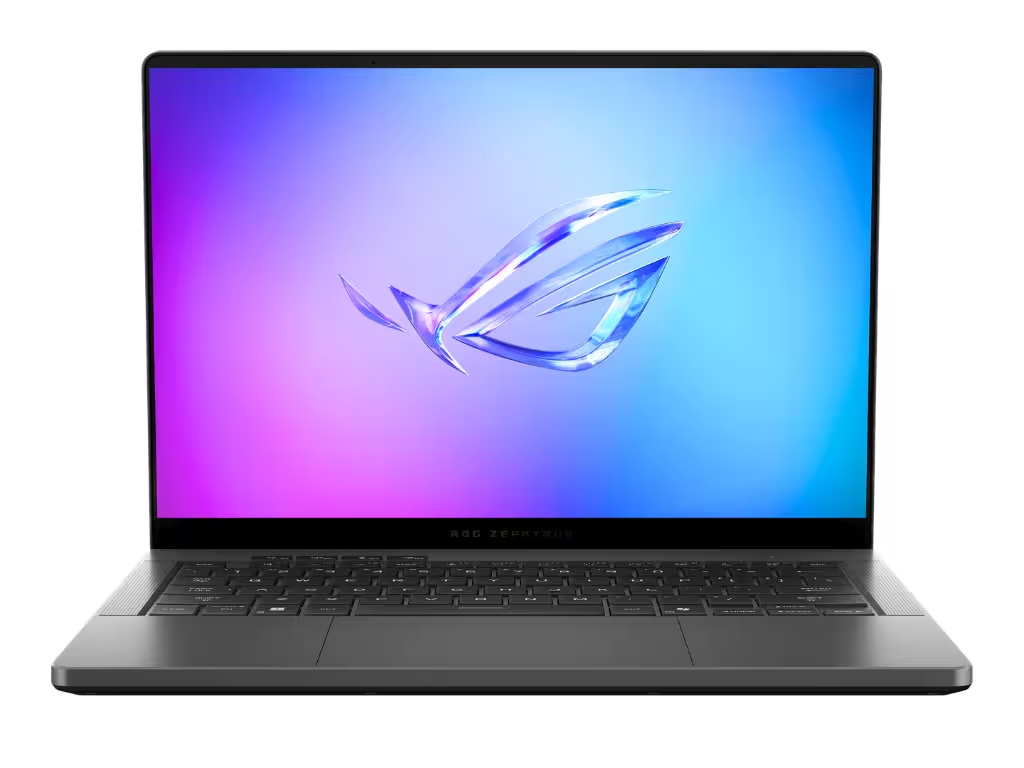
Asus ROG Zephyrus G14 Review: Still the King of Portable Gaming

Asus ROG Zephyrus G14 Review: Still the King of Portable Gaming

The Asus ROG Zephyrus G14 is the ultimate 14-inch premium laptop, blending desktop-level gaming performance with an ultralight CNC-milled chassis and a stunning OLED display. It perfectly balances raw power with extreme portability for both gamers and creators on the move.

Read analysis →

The KWYAB Standard for Workspace & Ergonomics

In today’s remote and hybrid work culture, the industry is flooded with products claiming to be “ergonomic” just because they have a curved piece of plastic. Brands charge massive premiums for aesthetic office setups while completely ignoring the biomechanical realities of sitting at a desk for 40 hours a week. Our approach to workspace and ergonomics fundamentally rejects this superficial narrative. We focus strictly on structural durability, empirical posture support, and long-term physical health.

Whether you are outfitting a corporate office or upgrading a home workstation, your gear must adapt to your body, not the other way around. A single point of failure—like a chair with a cheap gas cylinder or a desk that wobbles when you type—can ruin your focus and cause chronic pain. We analyze the entire physical workspace ecosystem to ensure you invest in equipment that genuinely supports you.

Biomechanical Truths Over Aesthetic Buzz

Our testing methodology is designed to break through the illusions created by flashy lifestyle marketing. When we evaluate workspace and ergonomic gear, we look for the structural truths that dictate daily comfort:

  • Actual Adjustability vs. Gimmicks: We test whether components like lumbar supports, armrests, and desk heights lock securely into place and accommodate the 5th to 95th percentile of body types.
  • Build Quality and Longevity: We inspect the physical construction, from the gauge of steel used in desk frames to the abrasion resistance of chair mesh, ensuring your investment outlasts the warranty.
  • Stability Under Load: A desk or monitor arm is useless if it sags or shakes. We load-test equipment to its advertised limits to expose the wobble that most manufacturers try to hide.
  • Health-Centric Design: We evaluate how effectively a product promotes neutral posture, reduces eye strain, and prevents repetitive strain injuries (RSIs) during marathon work sessions.

Engineering a Sustainable Work Environment

Workspace ergonomics covers a vast array of physical touchpoints. Desks dictate your working height, chairs support your skeletal structure, monitor arms align your visual plane, lighting prevents eye fatigue, and hybrid gear ensures you don’t lose these benefits on the go. By applying our rigorous, anti-BS testing standards across all these categories, we help you navigate the noise.

We do not care about carbon fiber aesthetics or aggressive “gamer” branding unless they are paired with actual orthopedic excellence. If a piece of office furniture cannot maintain its structural integrity under daily use, or if its ergonomics feel cheap despite a premium price tag, we will call it out. Your workspace needs to protect your health and boost your efficiency. Explore our comprehensive evaluations to build a zero-compromise physical foundation for your digital work.

Frequently Asked Questions

What makes a workspace truly ergonomic?

A truly ergonomic workspace adapts to your specific biomechanics, allowing you to maintain a neutral posture. It is not about a specific brand or look, but about having a chair, desk, and monitor setup that minimizes muscle fatigue and joint strain over an 8-hour workday.

How much should I spend on an ergonomic setup?

You should view ergonomic gear as a medical investment rather than just office furniture. While you don’t need to overpay for designer labels, investing in high-quality, adjustable core pieces (like your chair and desk) will save you money on chiropractic bills and premature replacements in the long run.

Do I need all ergonomic accessories right away?

No. Prioritize the foundational elements first: a highly adjustable chair and a stable desk that allows for proper typing height. Once your core posture is supported, you can address specific pain points with monitor arms, footrests, or specialized lighting.

Are “gaming” products good for office ergonomics?

Often, no. Most gaming chairs prioritize aggressive bucket-seat aesthetics over proper lumbar support and breathability. We strongly advise looking at specialized ergonomic office furniture, which is engineered for sustained health rather than racing-car styling.

What is the 90-90-90 rule in workspace setup?

The 90-90-90 rule is a biomechanical baseline where your elbows, hips, and knees should all rest at approximately 90-degree angles while working. Your feet should be flat on the floor (or a footrest) and your monitor should be at eye level to prevent neck strain.

How often should I replace my office furniture?

High-quality workspace gear is built to last a decade or more, often backed by 10-to-12-year warranties. You should only replace components if the mechanisms fail (like a sinking chair cylinder) or if the support structures (like seat foam or mesh) have permanently degraded.

Does workspace lighting actually affect ergonomics?

Absolutely. Visual ergonomics are just as critical as physical support. Poor lighting causes glare, forces you to squint, and leads you to hunch forward unconsciously, ruining your posture and causing severe tension headaches.

Can an ergonomic setup cure back pain?

An ergonomic setup cannot cure pre-existing medical conditions, but it stops your workspace from aggravating them. Proper support prevents the micro-traumas caused by slouching, allowing your body to heal and preventing new injuries from forming.

knowwhatyouarebuying.com

We spend hundreds of hours conducting hands-on tests and data-driven analysis to help you make confident purchasing decisions. Our reviews are 100% independent and reader-supported.

100% Independent
Data-Driven Reviews
Reader Supported

Categories

  • Computing & Hardware
  • Gaming & Streaming
  • Personal Tech
  • Power & Eco-Solutions
  • Smart Home
  • Software Services
  • Workspace & Ergonomics

Legal

  • Legal Notice
  • Privacy Policy
  • Cookie Policy
  • Affiliate Disclosure

About KWYAB

  • About Us
  • How We Test
  • Editorial Guidelines
  • Contact Us
contact@knowwhatyouarebuying.com

Affiliate Disclosure: KnowWhatYouAreBuying is reader-supported. When you buy through links on our site, we may earn an affiliate commission at no extra cost to you. This supports our independent research and testing process.

© 2026 knowwhatyouarebuying.com. All rights reserved. Designed for smarter decisions.

Global:
ENES

We value your privacy

We use tracking technologies to improve your experience, perform analytics, and support our independent research. You can choose to accept all or manage your preferences.

Privacy Cookies Legal Notice

Manage Cookie Preferences

Strictly Necessary

Required for the website to function. Cannot be disabled.

Always Active

Analytics

Help us understand how visitors interact with the site.

Marketing & Affiliation

Used to track conversions from affiliate links to support our work.