Reader Supported: We may earn a commission when you buy through links on our site.
Logo of the Website Know What You Are Buying
  • Hardware
    • Laptops & Desktops
    • .st0{fill-rule:evenodd;clip-rule:evenodd;} Monitors & Displays
    • PC Components
    • Peripherals & Connectivity
    • Storage & Backup
    Hover over a category to see top picks
  • Gaming
    • .st0{fill-rule:evenodd;clip-rule:evenodd;}Console Gaming
    • .cls-1{fill-rule:evenodd;}gaming-pcPC Gaming
    • Handheld & Mobile
    • Streaming & Audio Gear
    • Vr & Ar Headsets
    Hover over a category to see top picks
  • Personal Tech
    • .st0{fill-rule:evenodd;clip-rule:evenodd;}Smartphones & Accessories
    • .cls-1{fill-rule:evenodd;}earbudsHeadphones & Audio
    • .cls-1{fill-rule:evenodd;}camera-droneCameras & Drones
    • Smartwatches & Wearables
    • .st0{fill:#000000;} Tablets & E Readers
    Hover over a category to see top picks
  • Smart Home
    • Speakers & Displays
    • Security & Surveillance
    • Smart Appliances
    • Lighting & Ambience
    • Networking & Wifi
    Hover over a category to see top picks
  • Software
    • Antivirus & Privacy
    • VPN & Online Security
    • Web Hosting & Cloud
    • AI Tools & Subscriptions
    • .st0{fill:#000000;} Creative & Productivity
    Hover over a category to see top picks
  • Workspace
    • Standing Desks
    • Ergonomic Seating
    • Monitor Arms & Stands
    • Office Lighting
    • Hybrid Work Gear
    Hover over a category to see top picks
  • Power
    • Portable Power Stations
    • Solar Panels & Kits
    • Smart Energy Monitors
    • Electric Mobility
    • Charging & Power Banks
    Hover over a category to see top picks
  1. Home
  2. Workspace & Ergonomics
  3. Hybrid Work Gear

Hybrid Work Gear

Hybrid work demands a seamless transition between the corporate office, your home setup, and the local coffee shop. We cut through the flimsy travel gadgets to evaluate portable docks, laptop stands, and mobile peripherals for ruggedness, connectivity stability, and true ergonomic value on the go. Build a resilient, location-independent workflow.

We are gathering data

Our experts are currently working on content for this section. Check out our latest global analysis below.

Latest Global Coverage

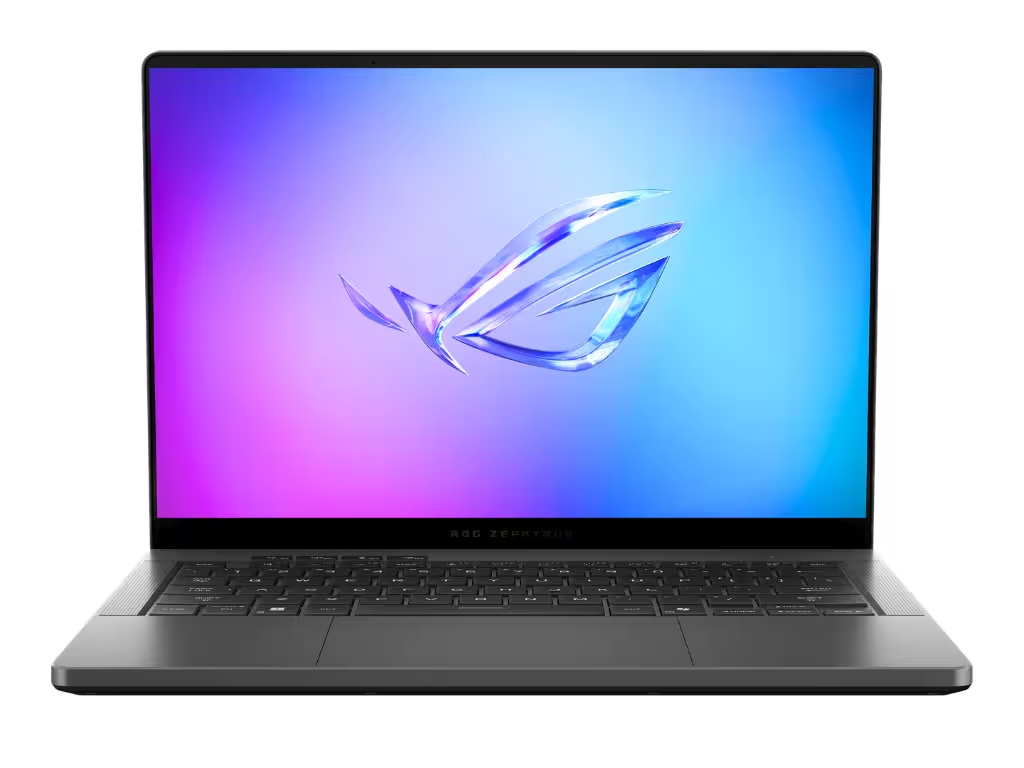
Asus ROG Zephyrus G14 Review: Still the King of Portable Gaming

Asus ROG Zephyrus G14 Review: Still the King of Portable Gaming

The Asus ROG Zephyrus G14 is the ultimate 14-inch premium laptop, blending desktop-level gaming performance with an ultralight CNC-milled chassis and a stunning OLED display. It perfectly balances raw power with extreme portability for both gamers and creators on the move.

Read analysis →

The KWYAB Standard for Hybrid Work Gear

The shift to hybrid work has spawned a massive industry of “nomad” accessories, many of which are overpriced, flimsy plastic gadgets destined for the landfill. Brands push ultra-thin travel mice that cramp your hand and unreliable dongles that drop your display connection during important calls. Our approach to hybrid work gear fundamentally rejects these compromises. We focus on durability, seamless integration, and portable ergonomics.

Working from multiple locations shouldn’t mean sacrificing your physical health or your digital efficiency. Your gear needs to survive being thrown into a backpack daily while providing the connectivity and posture support of a permanent desk setup. We analyze mobile peripherals and transit-ready accessories to ensure you invest in tools that bridge the gap between locations flawlessly.

Resiliency and Function Over Miniaturization

Our testing methodology ignores the hype of ultra-minimalist marketing. When we evaluate hybrid work gear, we look for the engineering truths that survive the commute:

  • Port Connectivity and Thermal Throttling: We test portable USB-C hubs and docks under maximum load (running dual 4K monitors, passing through 100W of power, and transferring data). We measure heat output to ensure the internal chips don’t throttle or disconnect.
  • Portable Ergonomics: A travel mouse shouldn’t cause carpal tunnel, and a laptop stand must elevate the screen to eye level without collapsing under typing pressure. We test the structural rigidity and grip of portable ergonomic gear.
  • Build Quality and Travel Abuse: We evaluate the materials—machined aluminum, braided cables, and reinforced hinges. If a piece of gear cannot survive the daily friction of being tossed into a tech pouch, it fails our test.
  • Battery Life and Charging Synergy: For wireless travel gear, we test true battery longevity and cross-compatibility, ensuring you can travel light without needing a dozen different charging bricks.

Bridging the Setup Gap

Hybrid gear is the connective tissue of modern workflows. It allows you to dock into a full workstation with a single cable or instantly transform a hotel desk into a productive environment. By applying our rigorous, anti-BS testing standards, we separate the professional-grade tools from the cheap airport-kiosk toys.

We do not care how slim a laptop stand folds if it wobbles violently when you type. If a portable hub overheats and drops your ethernet connection, or if a travel keyboard has mushy, unreliable switches, we will call it out. Your hybrid gear needs to be as dependable as your primary office equipment. Explore our comprehensive reviews to build an uncompromised mobile arsenal.

Frequently Asked Questions

What are the essential items for a hybrid work setup?

The non-negotiables are a reliable USB-C hub/dock for single-cable connectivity, an adjustable portable laptop stand to save your neck, and a comfortable, full-featured wireless mouse. Everything else is secondary to these core ergonomic and digital bridges.

Why do portable USB-C hubs get so hot?

Passing high-wattage power delivery, multiple display signals, and high-speed data through a tiny aluminum chassis generates massive heat. Quality hubs use the aluminum shell as a heatsink to dissipate it safely; cheap hubs trap the heat, leading to dropped connections and chip failure.

Is a travel mouse bad for my wrist?

Extremely flat, ultra-portable travel mice offer zero palm support and force your hand into an unnatural claw grip, which can quickly lead to RSI. We highly recommend slightly thicker, contoured mobile mice that balance portability with ergonomic support.

Do I need a portable monitor for hybrid work?

If your workflow heavily relies on multiple spreadsheets, coding, or video editing, a portable monitor drastically improves productivity away from your desk. Look for ones with single-cable USB-C power/display delivery to avoid carrying extra power bricks.

How do I securely transition data between home and the office?

Rely on encrypted cloud storage (like OneDrive or Google Drive) or a company VPN rather than carrying physical flash drives, which are easily lost. Your hybrid hardware should focus on connectivity, leaving data security to software and the cloud.

What should I look for in a laptop stand?

Look for heavy-duty hinges (often requiring two hands to adjust) and a wide base. Flimsy, lightweight stands will bounce every time you strike a key. The stand must elevate the top bezel of your screen to eye level to prevent neck strain.

Can I use one power adapter for all my hybrid gear?

Yes, by investing in a high-wattage (65W or 100W) GaN (Gallium Nitride) charger. GaN chargers are incredibly compact but output enough power to charge your laptop, phone, and peripherals simultaneously via USB-C, saving significant weight in your bag.

How do you test the durability of hybrid accessories?

We test the insertion cycles of ports, the friction retention of hinges on stands, and perform drop tests on mobile peripherals. Gear designed for travel must withstand being jostled in a bag and subjected to varying temperatures and environments.

knowwhatyouarebuying.com

We spend hundreds of hours conducting hands-on tests and data-driven analysis to help you make confident purchasing decisions. Our reviews are 100% independent and reader-supported.

100% Independent
Data-Driven Reviews
Reader Supported

Categories

  • Computing & Hardware
  • Gaming & Streaming
  • Personal Tech
  • Power & Eco-Solutions
  • Smart Home
  • Software Services
  • Workspace & Ergonomics

Legal

  • Legal Notice
  • Privacy Policy
  • Cookie Policy
  • Affiliate Disclosure

About KWYAB

  • About Us
  • How We Test
  • Editorial Guidelines
  • Contact Us
contact@knowwhatyouarebuying.com

Affiliate Disclosure: KnowWhatYouAreBuying is reader-supported. When you buy through links on our site, we may earn an affiliate commission at no extra cost to you. This supports our independent research and testing process.

© 2026 knowwhatyouarebuying.com. All rights reserved. Designed for smarter decisions.

Global:
ENES

We value your privacy

We use tracking technologies to improve your experience, perform analytics, and support our independent research. You can choose to accept all or manage your preferences.

Privacy Cookies Legal Notice

Manage Cookie Preferences

Strictly Necessary

Required for the website to function. Cannot be disabled.

Always Active

Analytics

Help us understand how visitors interact with the site.

Marketing & Affiliation

Used to track conversions from affiliate links to support our work.