Reader Supported: We may earn a commission when you buy through links on our site.
Logo of the Website Know What You Are Buying
  • Hardware
    • Laptops & Desktops
    • .st0{fill-rule:evenodd;clip-rule:evenodd;} Monitors & Displays
    • PC Components
    • Peripherals & Connectivity
    • Storage & Backup
    Hover over a category to see top picks
  • Gaming
    • .st0{fill-rule:evenodd;clip-rule:evenodd;}Console Gaming
    • .cls-1{fill-rule:evenodd;}gaming-pcPC Gaming
    • Handheld & Mobile
    • Streaming & Audio Gear
    • Vr & Ar Headsets
    Hover over a category to see top picks
  • Personal Tech
    • .st0{fill-rule:evenodd;clip-rule:evenodd;}Smartphones & Accessories
    • .cls-1{fill-rule:evenodd;}earbudsHeadphones & Audio
    • .cls-1{fill-rule:evenodd;}camera-droneCameras & Drones
    • Smartwatches & Wearables
    • .st0{fill:#000000;} Tablets & E Readers
    Hover over a category to see top picks
  • Smart Home
    • Speakers & Displays
    • Security & Surveillance
    • Smart Appliances
    • Lighting & Ambience
    • Networking & Wifi
    Hover over a category to see top picks
  • Software
    • Antivirus & Privacy
    • VPN & Online Security
    • Web Hosting & Cloud
    • AI Tools & Subscriptions
    • .st0{fill:#000000;} Creative & Productivity
    Hover over a category to see top picks
  • Workspace
    • Standing Desks
    • Ergonomic Seating
    • Monitor Arms & Stands
    • Office Lighting
    • Hybrid Work Gear
    Hover over a category to see top picks
  • Power
    • Portable Power Stations
    • Solar Panels & Kits
    • Smart Energy Monitors
    • Electric Mobility
    • Charging & Power Banks
    Hover over a category to see top picks
  1. Home
  2. Workspace & Ergonomics
  3. Monitor Arms & Stands

Monitor Arms & Stands

A sagging monitor arm is a guaranteed fast track to neck strain and poor posture. We bypass the cheap, friction-based joints to test premium gas springs, VESA plate tolerances, and true weight-bearing capacities. Reclaim your desk space with mounting solutions that stay exactly where you position them, month after month.

We are gathering data

Our experts are currently working on content for this section. Check out our latest global analysis below.

Latest Global Coverage

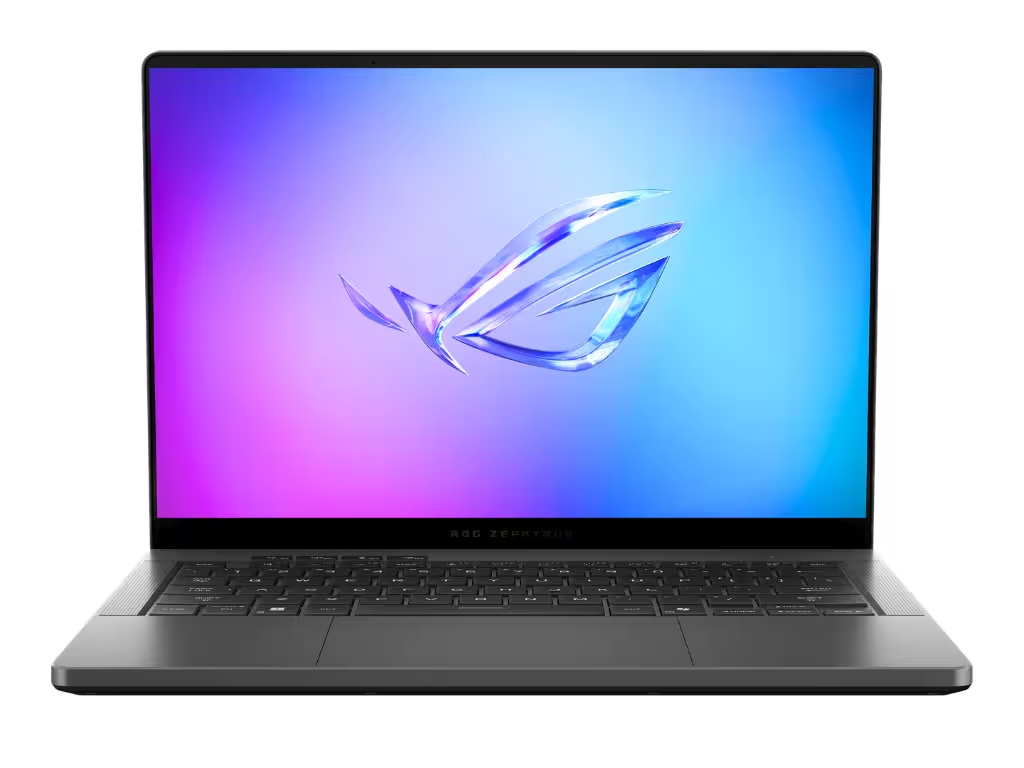
Asus ROG Zephyrus G14 Review: Still the King of Portable Gaming

Asus ROG Zephyrus G14 Review: Still the King of Portable Gaming

The Asus ROG Zephyrus G14 is the ultimate 14-inch premium laptop, blending desktop-level gaming performance with an ultralight CNC-milled chassis and a stunning OLED display. It perfectly balances raw power with extreme portability for both gamers and creators on the move.

Read analysis →

The KWYAB Standard for Monitor Arms & Stands

When it comes to desk setups, monitor arms are often an afterthought, leading users to buy cheap, generic mounts that sag under the weight of modern displays. Brands boast about holding ultrawide monitors, ignoring the fact that their tilt mechanisms droop the moment you let go. Our approach to monitor arms and stands fundamentally rejects these under-engineered solutions. We focus on mechanical tension, smooth articulation, and unyielding stability.

Your monitor is the focal point of your workflow. If it sits too low, you hunch; if it sits too high, you strain your neck. A high-quality monitor arm allows for micro-adjustments on the fly, freeing up massive amounts of desk space while allowing you to position the screen perfectly for ergonomic health. We test these arms under maximum load to ensure they hold their ground.

Precision Engineering Over Cheap Friction

Our testing methodology exposes the flaws in budget monitor arms. We don’t just clamp them to a desk; we push them to their mechanical limits. When we evaluate monitor mounts, we look for:

  • Gas Spring vs. Mechanical Spring: We test the smoothness and longevity of the lifting mechanisms. We demand zero bounce when typing and effortless fingertip adjustment when moving the screen.
  • Tilt Hinge Strength: This is the #1 point of failure for ultrawide monitors. We load the VESA mount to its absolute maximum weight limit to ensure the tilt joint does not droop under heavy leverage.
  • Desk Clamp Integrity: A heavy monitor arm exerts massive torque on your desk. We inspect the C-clamps and grommet mounts for surface-area distribution and heavy steel construction that won’t bite into your desk or warp under pressure.
  • Cable Management: We evaluate whether the internal routing channels are actually usable or just cheap plastic covers that pop off the moment you run a thick DisplayPort cable through them.

Maximizing Workspace Geometry

A good monitor arm transforms the geometry of your desk. It reclaims the footprint taken up by bulky factory stands and allows you to push screens back for proper eye distance or pull them close for detailed work. By applying our rigorous, anti-BS testing standards, we ensure you invest in a mount that feels like an extension of your workspace, not a liability.

We do not care if a monitor arm has RGB lighting in its base or a sleek plastic shell if the internal spring is weak. If an arm struggles to support the monitors it claims to hold, or if tightening the tension bolt strips the metal, we will call it out. Your display needs to float weightlessly and lock in place reliably. Explore our comprehensive reviews to find a mounting solution built to last.

Frequently Asked Questions

What is the difference between a gas spring and a mechanical spring arm?

Gas spring (or pneumatic) arms use compressed gas to counterbalance the monitor’s weight, offering extremely smooth, silent adjustments. Mechanical spring arms use a coiled steel spring; they are incredibly durable and often hold more weight, but can be slightly stiffer to adjust.

Why does my ultrawide monitor tilt downward on my monitor arm?

Ultrawide and curved monitors place the center of gravity further away from the VESA plate, creating massive leverage (torque) on the tilt joint. Cheap arms use friction washers that cannot handle this torque. You need a heavy-duty arm specifically rated for ultrawide leverage.

What is a VESA mount?

VESA is the standard mounting interface used by almost all monitor manufacturers. The most common sizes for PC monitors are 75x75mm and 100x100mm. Before buying an arm, ensure your monitor has these four square holes on the back.

Will a monitor arm damage my desk?

It can, especially if you mount heavy screens to a hollow-core desk (like some cheap IKEA models). To prevent damage, ensure the arm has a wide, heavy-duty C-clamp to distribute the weight, or use a steel reinforcement plate between the clamp and the desk.

Is it better to get one dual-monitor arm or two single arms?

Two single arms offer maximum flexibility and articulation, especially if your monitors are different sizes or if you want one in portrait mode. Dual arms look cleaner and only require one desk clamp, but they restrict how independently you can move each screen.

How high should I position my monitor?

Ergonomically, the top bezel of your monitor should be at or slightly below eye level when you are sitting up straight. This allows you to look at the center of the screen with a slight downward gaze, which prevents neck strain and dry eyes.

Can I mount a TV on a monitor desk arm?

Only if the TV falls within the arm’s strict weight capacity and matches the VESA pattern (which usually requires an adapter for TVs, as they often use 200x200mm or larger). However, desk arms are generally not designed for the dimensions of a television.

How do you test the tension on a monitor arm?

We mount displays at the very top of the arm’s weight capacity and observe if the height drops over a period of weeks. We also perform repetitive articulation tests to ensure the internal cylinder or spring does not lose resistance over time.

knowwhatyouarebuying.com

We spend hundreds of hours conducting hands-on tests and data-driven analysis to help you make confident purchasing decisions. Our reviews are 100% independent and reader-supported.

100% Independent
Data-Driven Reviews
Reader Supported

Categories

  • Computing & Hardware
  • Gaming & Streaming
  • Personal Tech
  • Power & Eco-Solutions
  • Smart Home
  • Software Services
  • Workspace & Ergonomics

Legal

  • Legal Notice
  • Privacy Policy
  • Cookie Policy
  • Affiliate Disclosure

About KWYAB

  • About Us
  • How We Test
  • Editorial Guidelines
  • Contact Us
contact@knowwhatyouarebuying.com

Affiliate Disclosure: KnowWhatYouAreBuying is reader-supported. When you buy through links on our site, we may earn an affiliate commission at no extra cost to you. This supports our independent research and testing process.

© 2026 knowwhatyouarebuying.com. All rights reserved. Designed for smarter decisions.

Global:
ENES

We value your privacy

We use tracking technologies to improve your experience, perform analytics, and support our independent research. You can choose to accept all or manage your preferences.

Privacy Cookies Legal Notice

Manage Cookie Preferences

Strictly Necessary

Required for the website to function. Cannot be disabled.

Always Active

Analytics

Help us understand how visitors interact with the site.

Marketing & Affiliation

Used to track conversions from affiliate links to support our work.