Reader Supported: We may earn a commission when you buy through links on our site.
Logo of the Website Know What You Are Buying
  • Hardware
    • Laptops & Desktops
    • .st0{fill-rule:evenodd;clip-rule:evenodd;} Monitors & Displays
    • PC Components
    • Peripherals & Connectivity
    • Storage & Backup
    Hover over a category to see top picks
  • Gaming
    • .st0{fill-rule:evenodd;clip-rule:evenodd;}Console Gaming
    • .cls-1{fill-rule:evenodd;}gaming-pcPC Gaming
    • Handheld & Mobile
    • Streaming & Audio Gear
    • Vr & Ar Headsets
    Hover over a category to see top picks
  • Personal Tech
    • .st0{fill-rule:evenodd;clip-rule:evenodd;}Smartphones & Accessories
    • .cls-1{fill-rule:evenodd;}earbudsHeadphones & Audio
    • .cls-1{fill-rule:evenodd;}camera-droneCameras & Drones
    • Smartwatches & Wearables
    • .st0{fill:#000000;} Tablets & E Readers
    Hover over a category to see top picks
  • Smart Home
    • Speakers & Displays
    • Security & Surveillance
    • Smart Appliances
    • Lighting & Ambience
    • Networking & Wifi
    Hover over a category to see top picks
  • Software
    • Antivirus & Privacy
    • VPN & Online Security
    • Web Hosting & Cloud
    • AI Tools & Subscriptions
    • .st0{fill:#000000;} Creative & Productivity
    Hover over a category to see top picks
  • Workspace
    • Standing Desks
    • Ergonomic Seating
    • Monitor Arms & Stands
    • Office Lighting
    • Hybrid Work Gear
    Hover over a category to see top picks
  • Power
    • Portable Power Stations
    • Solar Panels & Kits
    • Smart Energy Monitors
    • Electric Mobility
    • Charging & Power Banks
    Hover over a category to see top picks
  1. Home
  2. Workspace & Ergonomics
  3. Office Lighting

Office Lighting

Poor desk lighting silently destroys your focus through eye strain, screen glare, and improper color temperatures. We rigorously test monitor light bars, task lamps, and bias lighting for Color Rendering Index (CRI), flicker-free operation, and optimal lux output. Optimize your visual environment to work longer without the dreaded afternoon headache.

We are gathering data

Our experts are currently working on content for this section. Check out our latest global analysis below.

Latest Global Coverage

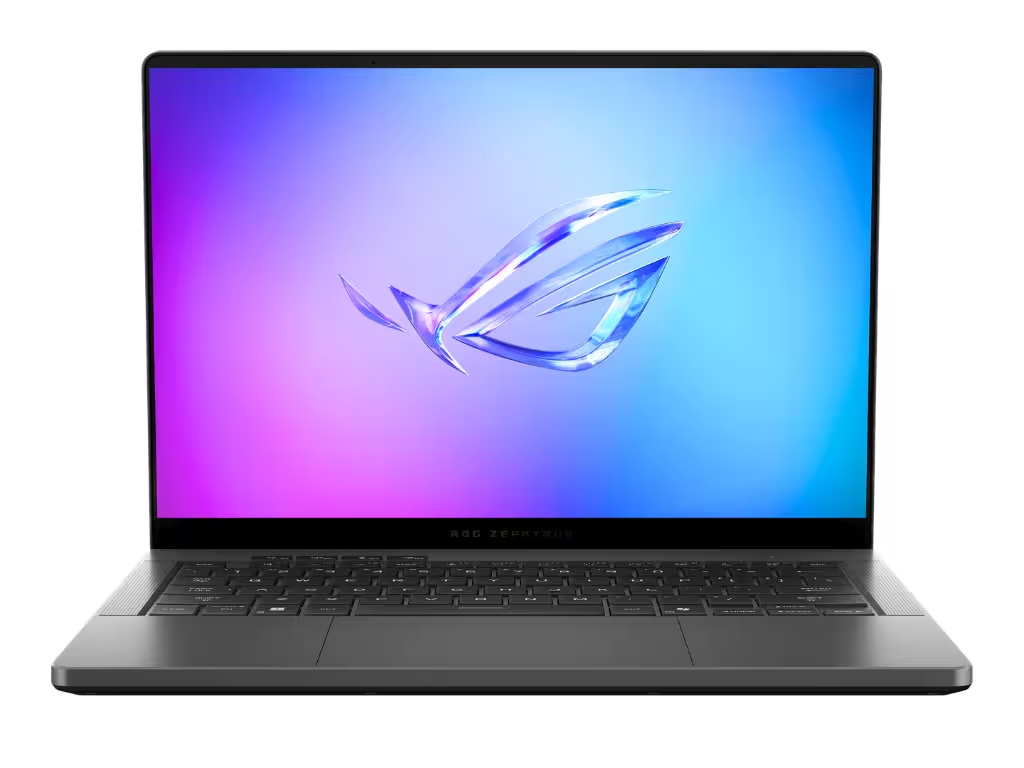
Asus ROG Zephyrus G14 Review: Still the King of Portable Gaming

Asus ROG Zephyrus G14 Review: Still the King of Portable Gaming

The Asus ROG Zephyrus G14 is the ultimate 14-inch premium laptop, blending desktop-level gaming performance with an ultralight CNC-milled chassis and a stunning OLED display. It perfectly balances raw power with extreme portability for both gamers and creators on the move.

Read analysis →

The KWYAB Standard for Office Lighting

The tech industry treats lighting as an aesthetic afterthought, flooding the market with cheap LED strips and overly aggressive RGB setups. Brands market “smart” lamps with millions of colors, entirely ignoring the photometric qualities that dictate eye health. Our approach to office lighting rejects this decorative nonsense. We focus strictly on lumen output, color accuracy, and glare reduction.

Your visual environment directly impacts your productivity and circadian rhythm. Working in a dimly lit room with only the harsh blue light of a monitor forces your pupils into overdrive, leading to ocular fatigue, blurred vision, and migraines. We analyze workspace lighting using hard data to ensure you invest in fixtures that genuinely illuminate your workspace while protecting your retinas.

Optical Clarity Over RGB Gimmicks

Our testing methodology bypasses the marketing claims to measure actual light science. When we evaluate office lighting, we look for the optical truths that dictate a healthy workspace:

  • Asymmetrical Optical Design: For monitor light bars, we test the beam angle to ensure zero glare hits the screen and no direct light hits your eyes, illuminating only the desk surface.
  • Color Rendering Index (CRI): We measure how accurately the light reveals true colors. A low CRI light makes documents and objects look washed out and sickly. We demand a CRI of 90+ for true optical clarity.
  • Flicker and PWM Testing: Cheap LEDs use low-frequency Pulse Width Modulation (PWM) to dim, causing a strobe effect that is invisible to the naked eye but causes severe neurological fatigue. We test for true flicker-free drivers.
  • Color Temperature Adjustment: We evaluate the range of Kelvins, ensuring you can shift from a cool, alert daylight tone (5000K+) for daytime work to a warm, relaxing amber (2700K) for evening reading.

Engineering a Glare-Free Zone

Proper office lighting is about contrast management. A bright monitor in a dark room creates intense contrast that wears down your eye muscles. Bias lighting behind the monitor, paired with a high-quality task lamp or light bar, equalizes this contrast. By applying our rigorous, anti-BS testing standards, we help you engineer a visually flawless setup.

We do not care if a desk lamp connects to Alexa or syncs with your video games if its core LED chips produce a harsh, glaring beam. If a light bar washes out your monitor’s contrast or a desk lamp buzzes audibly when dimmed, we will call it out. Your lighting needs to act as a seamless utility that keeps you focused and pain-free. Explore our comprehensive reviews to find the best optical tools for your desk.

Frequently Asked Questions

What is a monitor light bar and do I need one?

A monitor light bar mounts on top of your display and casts an asymmetrical beam of light down onto your desk. It is highly recommended because it illuminates your workspace without taking up desk real estate and, crucially, avoids reflecting glare onto your screen.

What does CRI mean in office lighting?

CRI (Color Rendering Index) measures how accurately a light source shows the true colors of objects, on a scale of 0 to 100. For an office, especially if you do design or color-critical work, you should only buy lighting with a CRI of 90 or higher.

What is bias lighting?

Bias lighting is soft illumination placed behind your monitor, shining onto the wall. It reduces the harsh contrast between your bright screen and the dark room, significantly reducing eye strain during night-time or low-light work sessions.

Why do LED desk lamps give me headaches?

It is likely due to invisible flickering caused by cheap PWM (Pulse Width Modulation) dimming, or a harsh glare reflecting off your desk. Upgrading to a flicker-free lamp with a diffusion panel or an asymmetrical light bar usually resolves this.

What color temperature is best for working?

For high-focus, analytical work during the day, cooler temperatures (4000K to 5500K) mimic daylight and keep you alert. For reading or winding down in the evening, warmer temperatures (2700K to 3000K) reduce blue light exposure and prepare your brain for rest.

How bright should my desk lamp be?

For general computer work, the ambient light should be around 300 to 500 lux. If you are doing detailed paperwork or reading physical documents, you need a task light capable of delivering closer to 1000 lux directly onto the desk surface.

Do blue light blocking glasses actually work?

Studies are mixed, but managing the actual source of the light is vastly more effective. Using software (like f.lux or Night Light) to warm your screen and investing in adjustable-temperature desk lighting is better than relying on yellow-tinted glasses.

How do you test for glare on a monitor light bar?

We mount the light bar on glossy, semi-glossy, and matte monitors. We then measure the light spill onto the screen itself in a pitch-black room. A premium light bar will have a sharp cut-off line, keeping the screen 100% dark while brightly illuminating the desk below.

knowwhatyouarebuying.com

We spend hundreds of hours conducting hands-on tests and data-driven analysis to help you make confident purchasing decisions. Our reviews are 100% independent and reader-supported.

100% Independent
Data-Driven Reviews
Reader Supported

Categories

  • Computing & Hardware
  • Gaming & Streaming
  • Personal Tech
  • Power & Eco-Solutions
  • Smart Home
  • Software Services
  • Workspace & Ergonomics

Legal

  • Legal Notice
  • Privacy Policy
  • Cookie Policy
  • Affiliate Disclosure

About KWYAB

  • About Us
  • How We Test
  • Editorial Guidelines
  • Contact Us
contact@knowwhatyouarebuying.com

Affiliate Disclosure: KnowWhatYouAreBuying is reader-supported. When you buy through links on our site, we may earn an affiliate commission at no extra cost to you. This supports our independent research and testing process.

© 2026 knowwhatyouarebuying.com. All rights reserved. Designed for smarter decisions.

Global:
ENES

We value your privacy

We use tracking technologies to improve your experience, perform analytics, and support our independent research. You can choose to accept all or manage your preferences.

Privacy Cookies Legal Notice

Manage Cookie Preferences

Strictly Necessary

Required for the website to function. Cannot be disabled.

Always Active

Analytics

Help us understand how visitors interact with the site.

Marketing & Affiliation

Used to track conversions from affiliate links to support our work.